
Manage billing and subscriptions
Add a card, subscribe to Solo Shield or the DNC Audit Pack, cancel a subscription and find your invoices, for accounts that signed up at dialclear.co.
5 min read
Before you start
- A DialClear account created at dialclear.co
Tip
Add your card first. Buying tokens and subscribing both use it.
This article is for accounts that signed up at dialclear.co. You pay for lookups with tokens you buy ahead of time, and you can add two monthly subscriptions. If you use DialClear inside your CRM, lookups bill your CRM wallet and your plan is managed in the App Marketplace instead, see Which features are in my plan.
Find the Billing page
Choose Billing at the bottom of the left menu, just above your name.
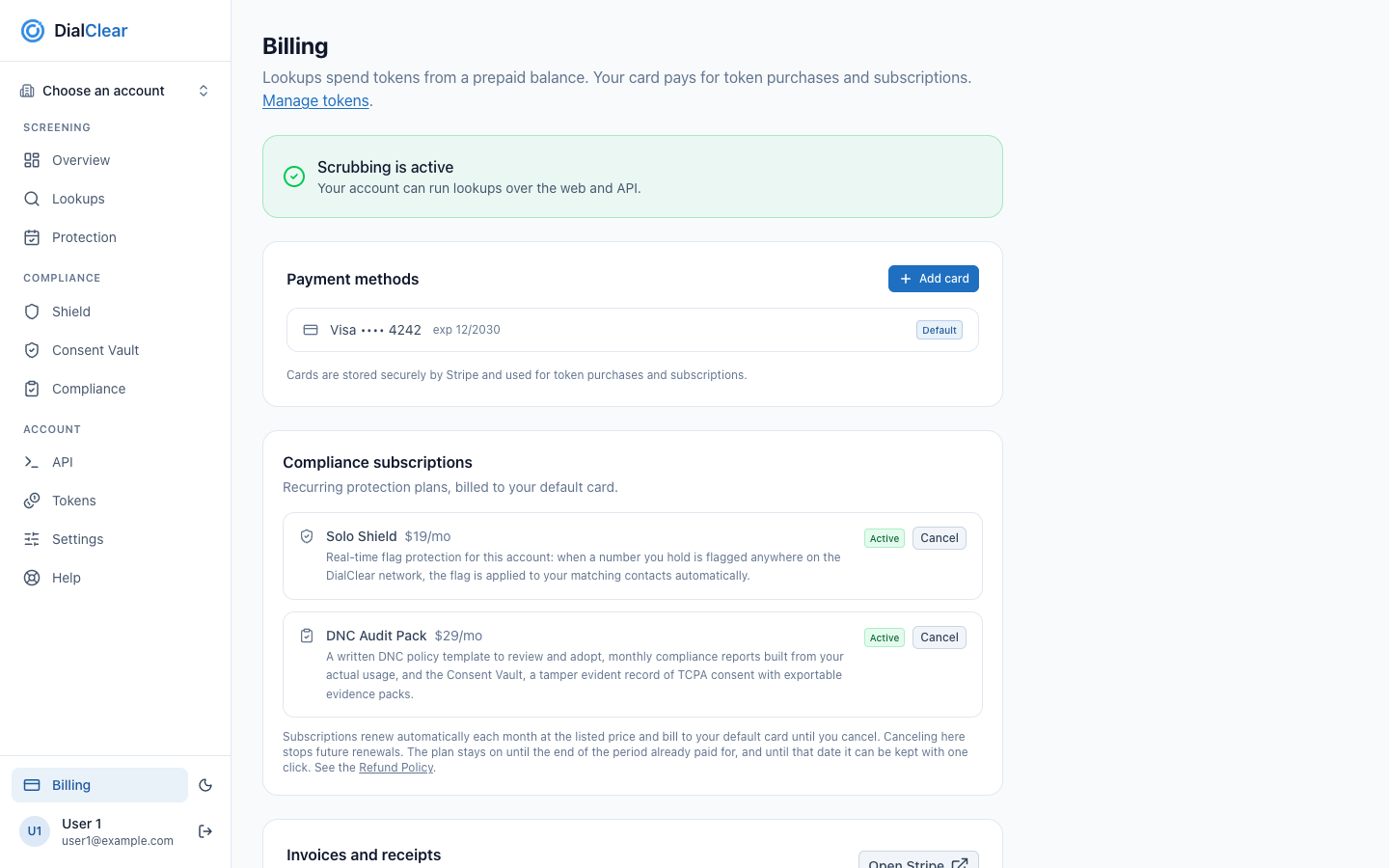
- Manage tokens opens the Tokens page, where you buy the tokens your lookups spend.
- With a card saved this notice is green and reads Scrubbing is active. Until you add a card it reads Add a card to start scrubbing.
- Add card opens a secure card form. Your saved cards are listed below it, with the default card marked.
- Compliance subscriptions lists Solo Shield and the DNC Audit Pack, each with its monthly price. A plan you have shows an Active badge and a Cancel button.
Add a card
Step 1. Open the card form
Under Payment methods, choose Add card.
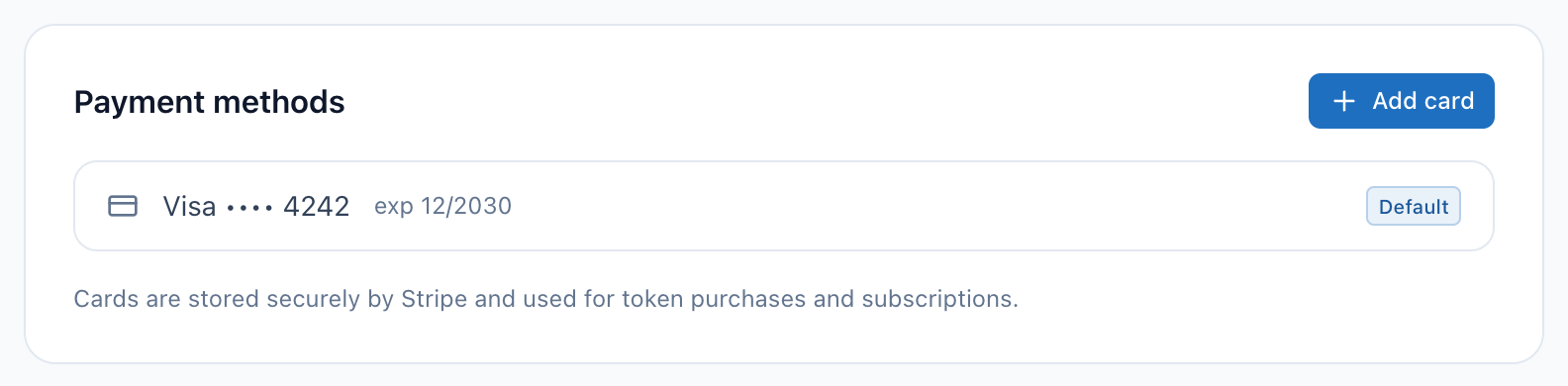
- Add card opens the card form. Your saved cards are listed below it, with the default card marked.
- Your cards are stored by Stripe and used for token purchases and subscriptions.
Step 2. Enter and save the card
Type your card details and choose Save card. If your bank asks you to confirm, follow the prompt on screen. The card you just saved becomes your default card.
Lookups and API access turn on as soon as a valid card is on file. You still need tokens before a lookup runs, see Buy tokens for your lookups.
Subscribe to Solo Shield or the DNC Audit Pack
Two optional subscriptions are billed monthly to your default card.
| Subscription | Price | What it does |
|---|---|---|
| Solo Shield | $19/mo | When a number you hold is flagged elsewhere on the DialClear network, the flag is applied to your matching contacts in a connected CRM account. |
| DNC Audit Pack | $29/mo | A generated written Do Not Call policy, monthly compliance reports built from your own usage, and the Consent Vault. |
The Consent Vault keeps a tamper evident record of the consent you collect. It shows a record has not been changed since it was saved. It does not decide whether the consent was valid, and nothing here is legal advice.
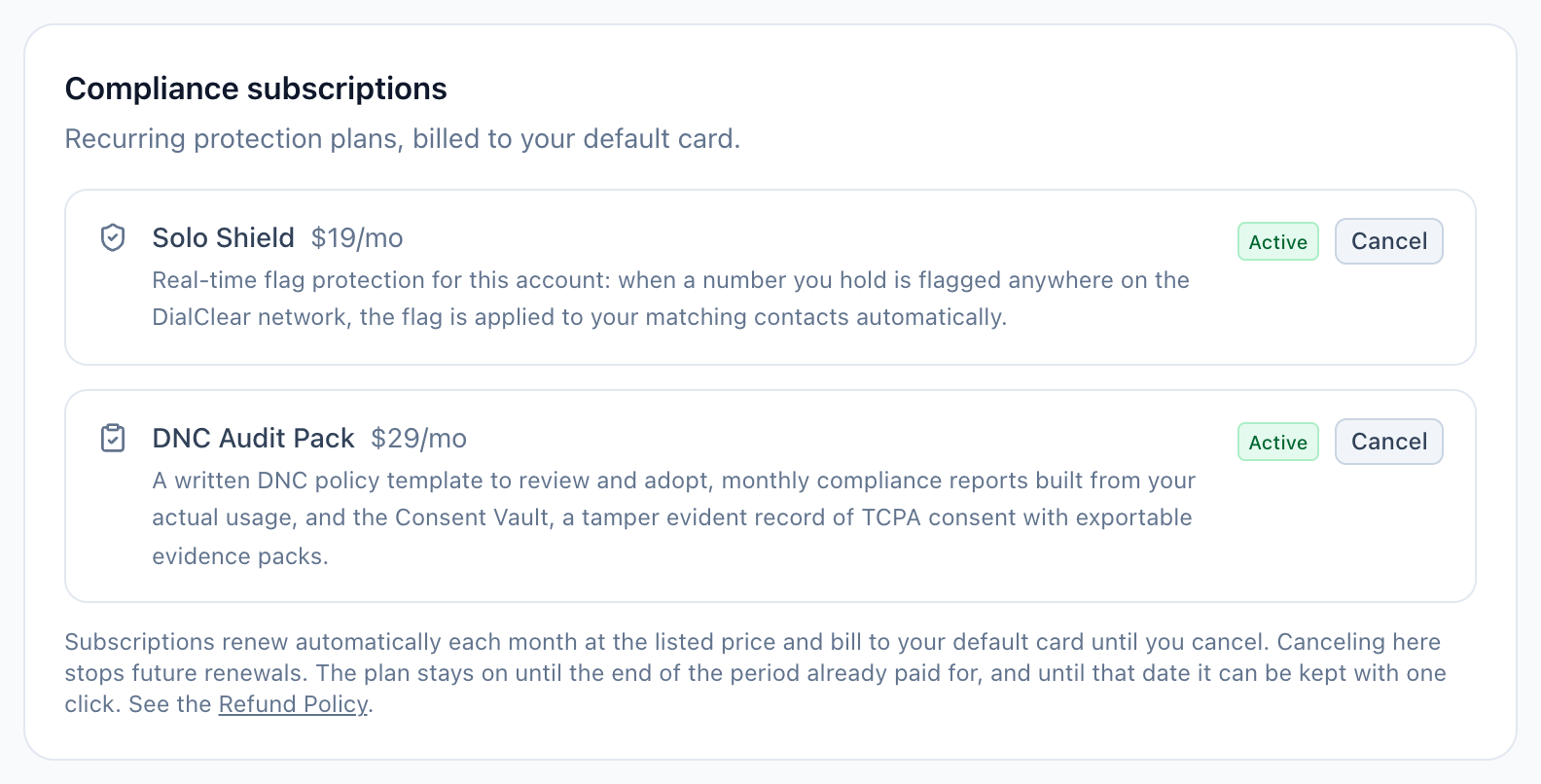
- Solo Shield, with its monthly price and what it does.
- The DNC Audit Pack, with its monthly price and what it includes.
- A plan you have shows an Active badge and a Cancel button. For a plan you do not have, a Subscribe button sits here. It charges your default card and stays grayed out until you add a card.
- Subscriptions renew each month until you cancel. The Refund Policy link sits at the end of this note.
Step 1. Choose Subscribe
Choose Subscribe next to the one you want. Your default card is charged for the first month.
Step 2. Confirm with your bank if asked
Some banks ask you to approve the first charge. Follow the prompt. When it is done the subscription shows an Active badge, and its pages in the Compliance group of the menu open up.
Cancel a subscription
Choose Cancel next to the active subscription. It stops renewing, and the badge changes to Cancels on followed by the last day of the period you already paid for. The feature stays on until that date, then turns off and its pages lock again. After that date the badge reads Canceled. Refunds follow the Refund Policy linked on the page.
Changed your mind?
Until the end date, choose Keep subscription next to it. The same subscription carries on and renews as before, with no new charge today and no second subscription. After the end date, choose Subscribe to start a new one.
Invoices, receipts and changing cards
Once a card is on file, an Invoices and receipts card appears at the bottom of the page. Choose Open Stripe to see past invoices, download receipts, or change and remove cards.
Troubleshooting
The Subscribe button is grayed out
You have no card on file yet. Add one under Payment methods and try again. A subscription that says Coming soon cannot be bought yet.
A subscription shows Past due
Your last renewal charge did not go through. Open Stripe from Invoices and receipts and update your card.
The page says Your service has been cancelled
Lookups are switched off on your account. Email support@dialclear.co to talk about turning it back on.
I use DialClear inside my CRM. Where are my cards?
Inside your CRM there are no cards. Lookups bill your CRM wallet, and the plan is changed in the App Marketplace.