
Read your Overview page
What each number, chart and list on the Overview page means, and how to change the time period they cover.
4 min read
Tip
Change the Timeframe to Month to date to see this month's screening at a glance.
Overview is the first page you see when DialClear opens. It sums up how many numbers you screened and what the screening found, for the account you are in.
The top of the page
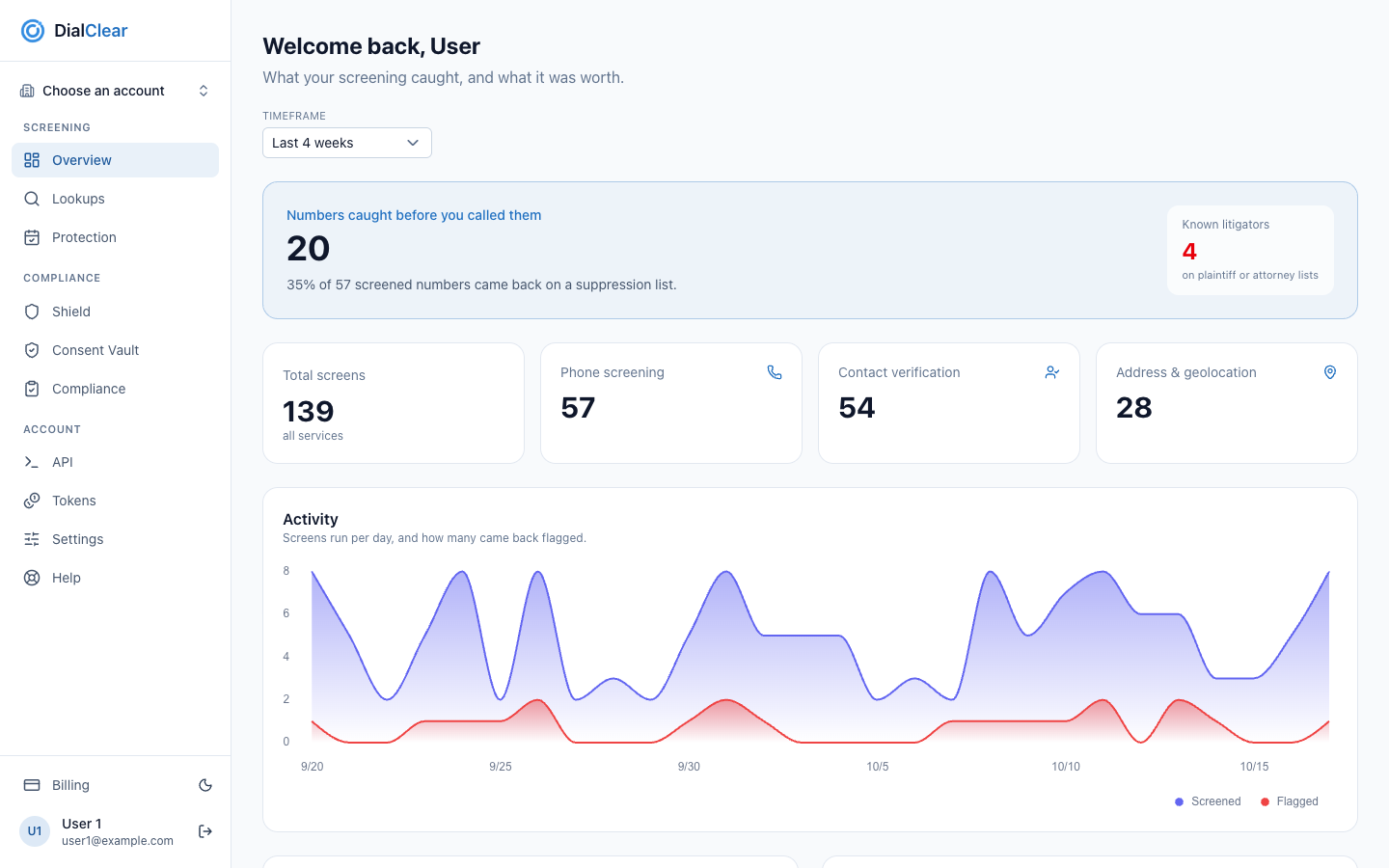
- The Timeframe picker. Every count and chart on the page follows it. It starts on Last 4 weeks.
- Numbers caught before you called them counts the screened numbers that came back on a suppression list, and what share of all your phone screens that was.
- Total screens across every kind of lookup, then one count each for phone screening, contact verification and address lookups. Choose one of the three to open Lookups.
- Activity charts the screens you ran each day against how many came back flagged.
Step 1. Pick a timeframe
Open Timeframe and choose a period, from Today up to All time. Choose Custom range… to set your own From and To dates.
Step 2. Read the headline
The big number is how many screened numbers were on at least one suppression list. When any of them were on a plaintiff or attorney list, a Known litigators count shows beside it in red.
What screening found
This card breaks your flagged numbers down by the kind of list that matched.
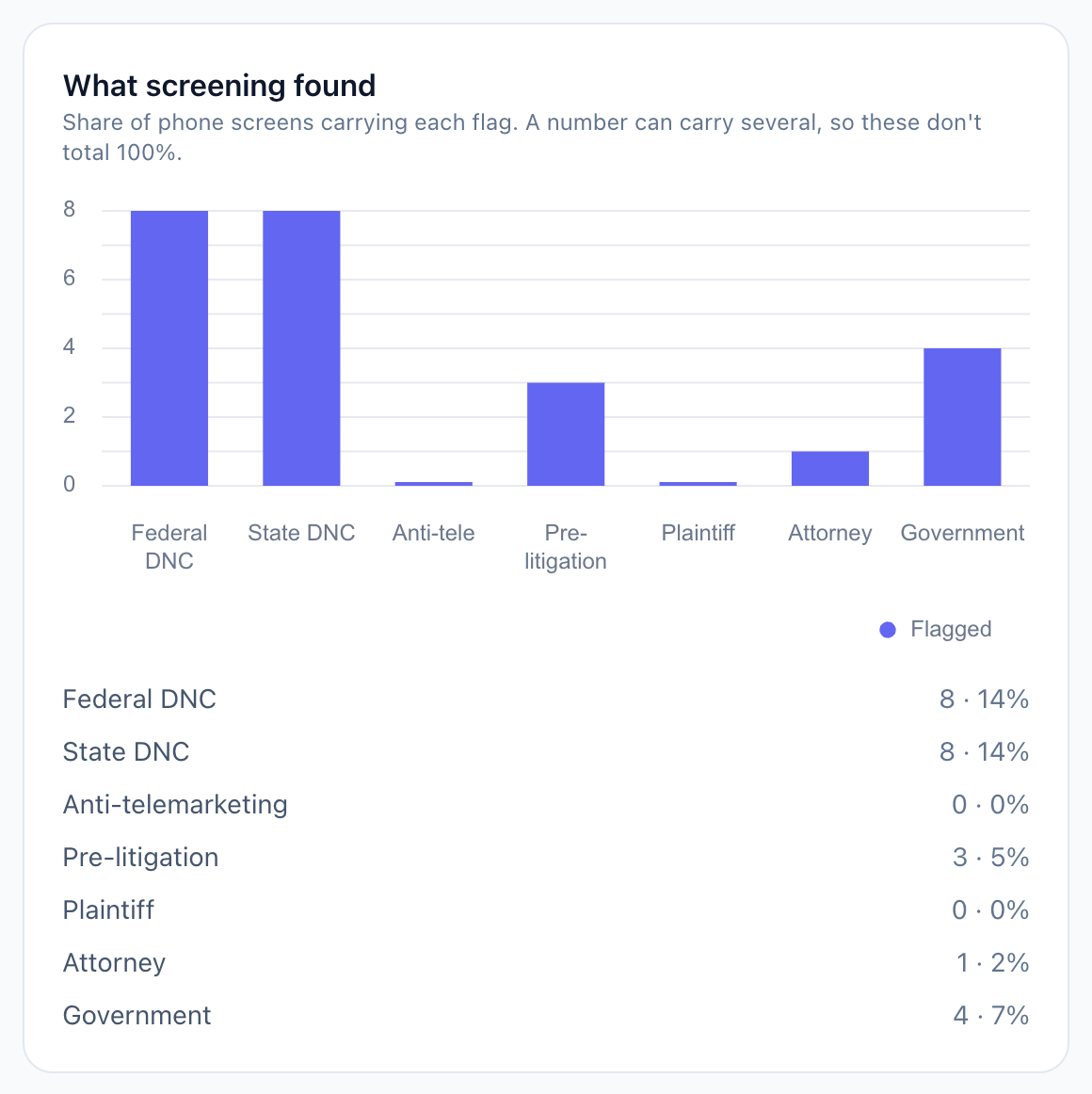
- Each percentage is a share of all phone screens in the timeframe.
- The bar chart shows how many flagged numbers matched each kind of list.
- One row per kind of list. A number can match several lists, so the rows do not add up to 100%.
Contact verification confidence
This card shows how well the name on each contact matched its phone number, split into High confidence, Medium and Low / risky. It stays empty until you run a contact verification.
Recent lookups
The last five lookups on the account, newest first. This list ignores the Timeframe.
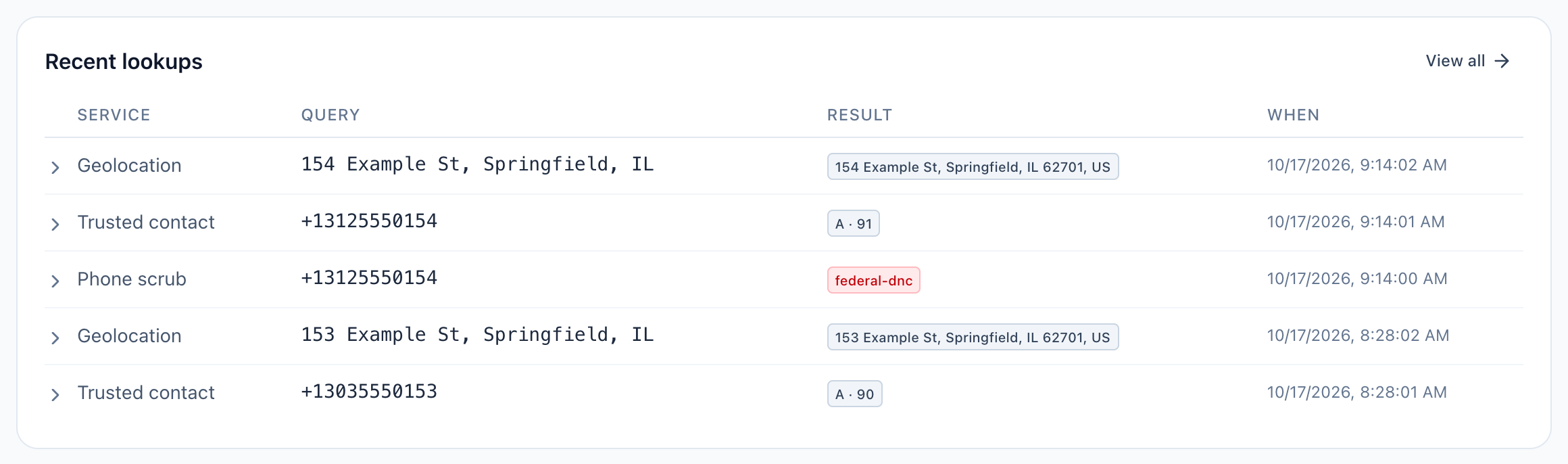
- View all opens the Lookups page with your full history.
- The Result column shows what each lookup returned.
- A contact verification shows a letter grade and a score.
- A red result names every list the number matched, such as a federal Do Not Call match.
To search and export older lookups, see Finding and exporting past lookups.
Note
In your history, phone screening shows as Phone scrub, contact verification as Trusted contact, and address lookups as Geolocation.
Frequently asked questions
Why does a note say some scrubs were processed on our previous engine?
Your account moved to DialClear from our previous engine, and the timeframe you picked reaches back before the move date. Only the number of scrubs is kept for the days before the move. The Activity chart adds them to that day's screens, its Flagged line counts only lookups DialClear ran, and the note above the headline gives the total. Every other figure on the page counts the lookups DialClear ran itself.
Why are all my numbers zero?
No lookups ran in the timeframe you picked. Try All time. A new account shows zeros until its first lookup.
Does the page show what a flagged number would have cost me?
No. DialClear counts what the screening found. It does not put a dollar value on calls you did not make.
I belong to several accounts. Whose numbers are these?
The account named at the top of the left menu. See Switch between accounts.