
Tagging wireless contacts
Have DialClear tag every contact whose number is a cell phone, so you can keep those numbers out of automated dialing.
2 min read
Before you start
- Phone screening turned on in Automatic scrubbing
- Permission to change settings in this account
Tip
The tag is free. It rides along with a phone screen you are already paying for.
Federal autodialer rules treat cell numbers differently from landlines. When you turn this on, every phone screen that finds a wireless number adds the tag dialclear-wireless to the contact. You can then build a smart list or a workflow in your CRM that routes those contacts away from automated dialing.
Turn on the wireless tag
Step 1. Find the phone screening row
Open Settings. In the Automatic scrubbing card, the Phone screening row has an extra section under its triggers.
Step 2. Check Tag wireless contacts
Check Tag wireless contacts. The change saves on its own.
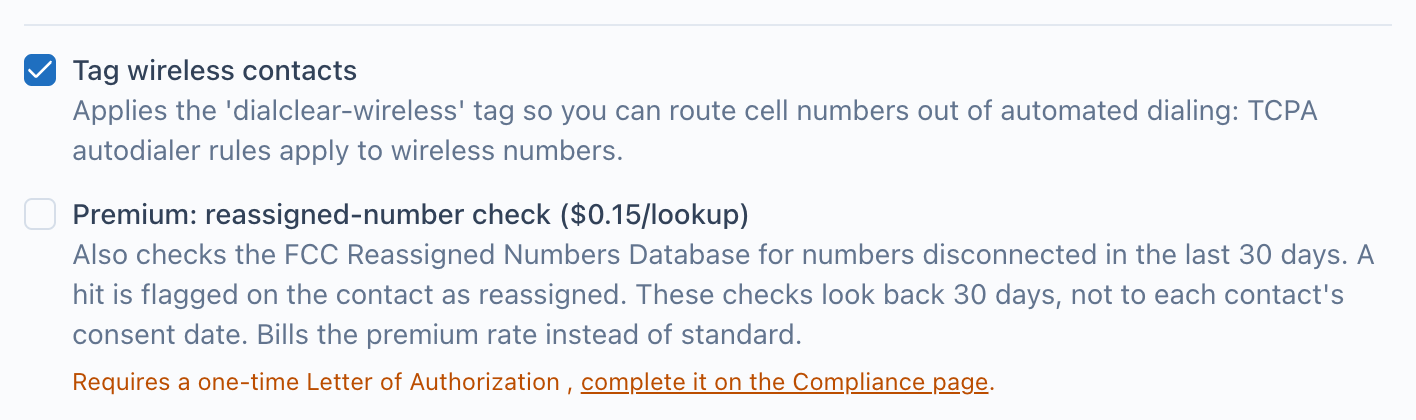
- Tag wireless contacts. Checked means each wireless number found by a phone screen gets the dialclear wireless tag.
- The premium reassigned number check is a separate option with its own price. It is covered in its own article.
What happens to contacts
- Each phone screen that comes back wireless adds
dialclear-wirelessto the contact. The contact keeps every tag it already had. - The DialClear field
DialClear | Mobile Numberalso reads "Mobile Number" for a wireless number. That field fills in whether or not the tag is on. - Landlines and numbers that are not wireless get no tag.
- The tag is added by any phone screen in this account, whether it ran on its own, from a trigger tag, or from your server through an API key.
Cost
The tag itself is free. It is added during a phone screen, and the phone screen is billed at its normal price.
Frequently asked questions
Does turning this on tag contacts I already screened?
No. Only phone screens that run after you turn it on add the tag. To tag an older contact, screen it again, for example with the dc-phone trigger tag described in Scrub a contact with a tag.
Does DialClear remove the tag if the number changes to a landline?
No. DialClear only ever adds this tag. Remove it in your CRM if you need to.
Does a wireless number mean I cannot call it?
DialClear tells you the line type. It does not decide what calls you may make. Talk to your own legal counsel about how the rules apply to your calling.