
Turning on automatic scrubbing
Choose which lookups run on their own for new and updated contacts, when each one runs, and what each one costs.
5 min read
Before you start
- DialClear installed in your CRM
- Permission to change settings in this account
Tip
Keep Contact is updated checked so a contact is screened again when its phone number changes.
Automatic scrubbing runs a lookup as soon as a contact lands in your CRM or changes, so nobody on your team has to remember to do it. There are three services, and each one has its own switch and its own triggers.
The three services
| Service | What it does | Needs on the contact | Price per lookup |
|---|---|---|---|
| Phone screening | Checks the number against Do Not Call lists and litigator databases | A phone number | $0.07, or $0.15 with the premium check |
| Address & location lookup | Cleans up the address and finds the contact's time zone | At least a state or a zip code | $0.08 |
| Contact verification | Scores how likely the name on the contact owns the number | A phone number and a name | $0.08, or $0.25 with the premium match |
Prices are the current list. An account keeps the prices it installed under. Each lookup that runs is charged to your CRM wallet, and you only pay for lookups that actually run. All three services start switched on, with both triggers checked.
Turn a service on
Step 1. Open the Automatic scrubbing card
Open Settings from the DialClear sidebar. The Automatic scrubbing card is right under the connection card.
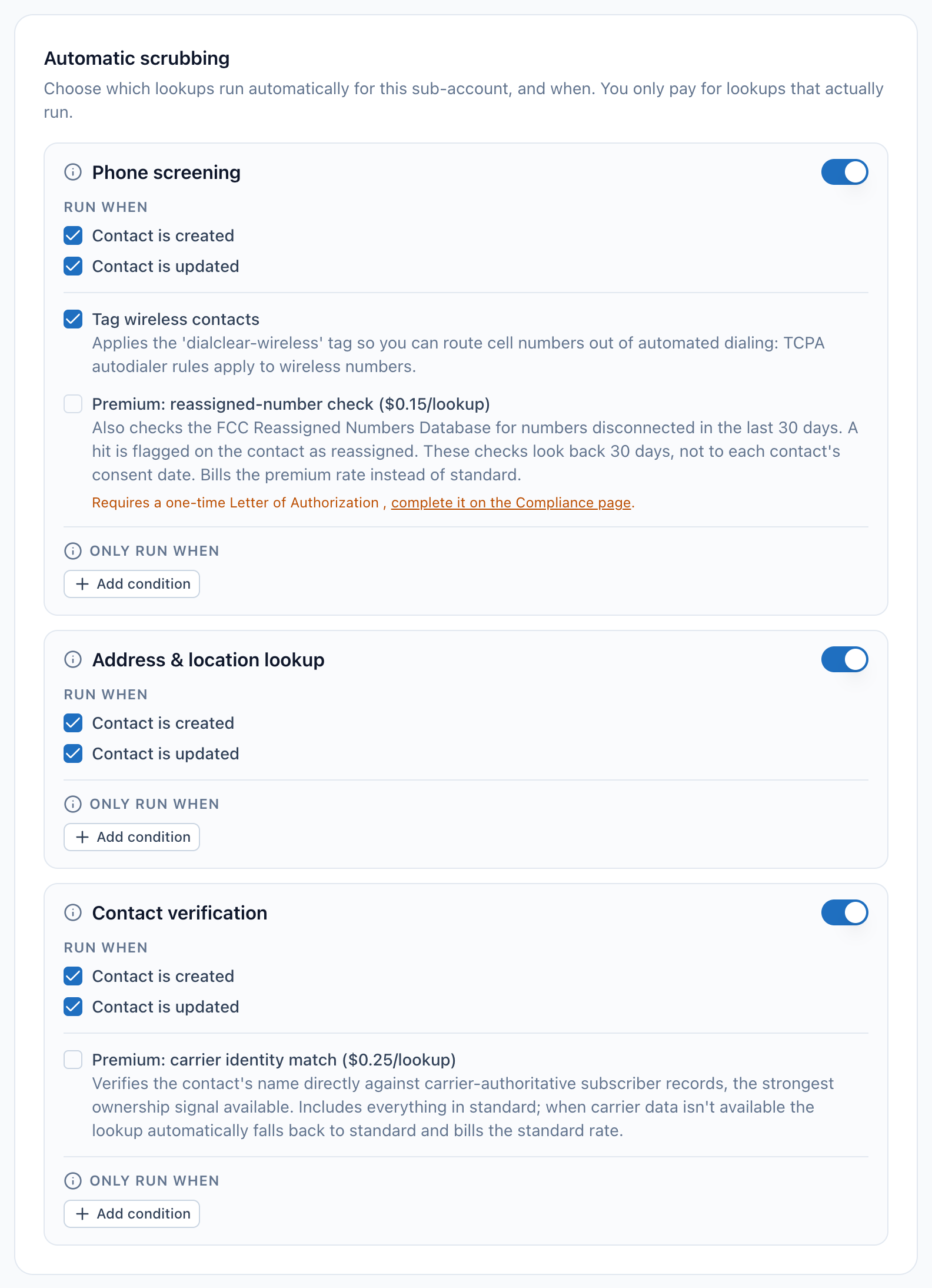
- The switch for phone screening. Off means DialClear never runs this lookup on its own.
- The switch for address and location lookup.
- The switch for contact verification.
- The Run when checkboxes. Each service has its own pair.
Step 2. Switch the service on
Turn on the switch at the right of the service. The change saves on its own.
Step 3. Pick when it runs
Under Run when, check one or both triggers.

- The phone screening switch. The triggers below it only work while it is on.
- Contact is created runs the lookup when a new contact is added.
- Contact is updated runs the lookup again when the details it uses change.
- Contact is created runs the lookup when a new contact arrives in your CRM.
- Contact is updated runs it again when a contact is edited, but only when the details that lookup uses have changed. For phone screening that is the phone number. For address and location lookup it is the address. For contact verification it is the phone number or the name. Editing any other field never runs a lookup and never costs anything.
If you clear both boxes, the card warns "No events selected, this scrub will only run manually." The service then runs only when you ask for it.
What lands on the contact
- Phone screening writes its result to the DialClear phone screening fields. When the number is flagged, DialClear adds a note to the contact that explains each list it matched, and applies your Automatic DND settings.
- Address & location lookup fills in the cleaned up street, city, state, postal code, country and time zone on the contact. See Looking up addresses and time zones.
- Contact verification writes a trust score and band to the DialClear contact verification fields. See Verifying a contact owns their number.
Every lookup also shows up in Lookups.
Tip
To skip contacts you do not want screened, such as unknown callers your CRM adds on its own, add a condition under Only run when. See Only scrubbing contacts that match conditions.
Check that it worked
Add a test contact with a phone number, a name and a state. Within a minute the DialClear fields fill in on the contact, and the lookups appear in Lookups.
Troubleshooting
A new contact was not screened
Check that the service switch is on and that Contact is created is checked. Then check the contact has what the service needs. A contact with no phone number is never phone screened, a contact with no state or zip code gets no location lookup, and contact verification needs both a number and a name. A condition under Only run when that the contact does not match also skips it.
I edited a contact and nothing ran
That is expected when the edit did not change what the lookup uses. Changing a note or an ordinary tag never runs phone screening. Changing the phone number does, and so does adding a DialClear trigger tag such as dc-phone.
Will I be charged twice for the same contact?
No. A contact whose details have not changed is not looked up again by an update. A contact that arrives twice within a day with the same details is looked up once.
What happens when my wallet is empty?
The lookup does not run and nothing is charged. Add funds in your CRM. The contact is screened the next time it is updated, or you can tag it to screen it now.
Can I scrub one contact by hand?
Yes. Add a trigger tag to the contact, as described in Scrub a contact with a tag. A tag runs the lookup even when the automatic switch is off.